
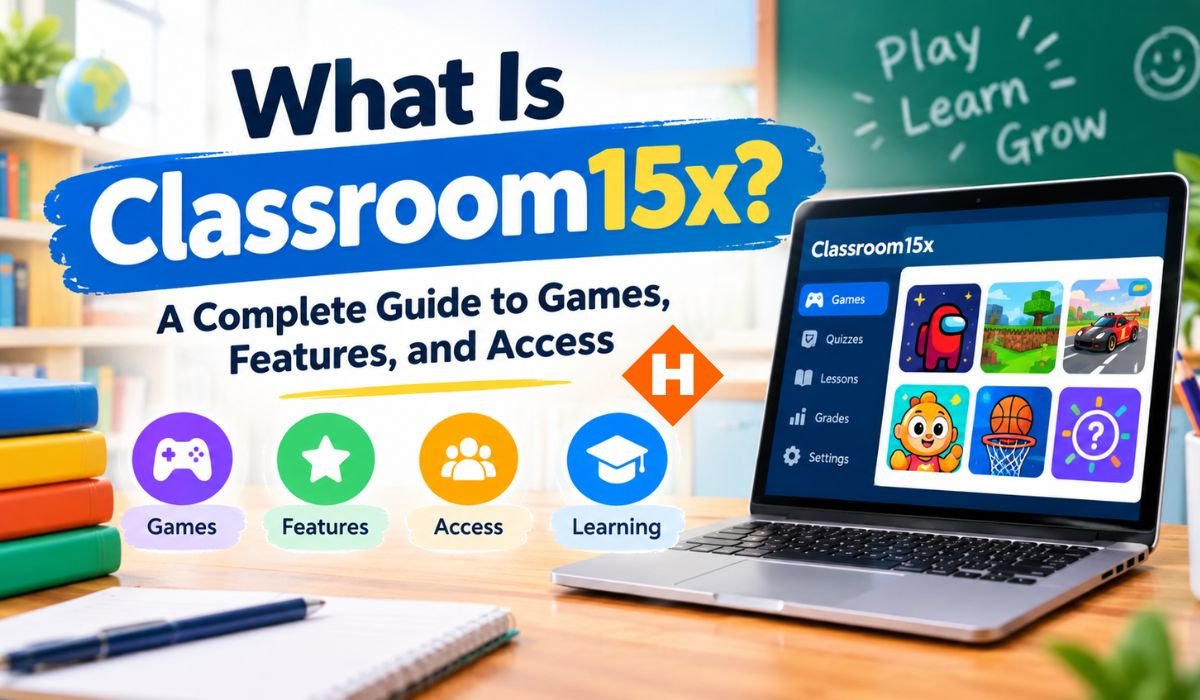
Browser gaming has become a simple way to enjoy casual entertainment without installing large programs or spending time setting up traditional games. Classroom15x follows that approach by bringing a wide and changing selection of games together in one browser-based platform. Its current collection covers arcade, racing, puzzle, action, sports, idle, horror, and two-player games, along with many other casual titles.
At first glance, Classroom15x may seem like a straightforward gaming website. However, there’s more to understand if you’re considering using it. Questions about game selection, device compatibility, browser performance, school and workplace access, and online safety can all affect the experience.
This guide takes a closer look at Classroom15x, explaining how the platform works, what kinds of games it offers, how browser and device compatibility can affect gameplay, and what users should know about the site’s use of the term “unblocked.” It also looks at the platform’s advantages, limitations, and basic safety considerations.
What Is Classroom15x?
Classroom15x is an online gaming website that brings browser-based games together in one place. Rather than requiring users to install a traditional desktop program for every title, the platform presents games through web pages that can be opened in a compatible browser.
The website describes itself as a destination for free online games and currently features categories covering areas such as action, racing, puzzles, sports, arcade games, and two-player experiences. Its collection is not fixed, either. New titles and different selections can appear over time, giving the platform a changing library for users to explore.
That makes Classroom15x better understood as a browser game collection than as a single game or conventional gaming service. Someone visiting the site can move between different genres depending on their preferred play style, available time, and device.
How Does Classroom15x Work?
Using Classroom15x is fairly straightforward. A user selects a game, opens its dedicated page, and allows the browser to load the playable content. The platform promotes a no-download approach, so users generally don’t have to install a traditional desktop game before they can start playing.
The technology behind browser games can vary considerably. Modern titles may rely on JavaScript, HTML Canvas, WebGL, or other web technologies to create interactive experiences. WebGL, for example, allows compatible browsers to display interactive 2D and 3D graphics and can make use of a device’s graphics hardware.
That technical side is worth keeping in mind because browser gaming isn’t identical across every device. Two people can open the same game and have noticeably different experiences depending on their computer or phone, browser, graphics hardware, memory, and internet connection.
What Types of Games Are Available?
Variety is one of the most noticeable aspects of Classroom15x. The platform’s current collection includes arcade, racing, puzzle, action, sports, idle, horror, and two-player games. Its Arcade section includes titles such as Drive Mad, Doodle Jump, Flappy Bird, Slice Master, Space Waves, Snake.io, Parkour Jump, and Super Mario Demo.
The wider collection offers a similarly broad mix. Some games are designed around quick reactions, while others focus on driving, sports, problem-solving, progression, or multiplayer-style gameplay.
That range can be useful for casual players who don’t want to stick to one particular genre. Someone might spend a few minutes with an arcade game and then switch to a puzzle or racing title without leaving the platform. Because the library can change as games are added or reorganized, the exact selection shouldn’t be treated as permanent.
Popular Classroom15x Games
The current Classroom15x homepage highlights games such as OvO, Retro Bowl, Idle Mining Empire, BitLife, Gunspin, Drive Mad, Push Your Luck, Idle Ants, Snow Battle, Horde Killer, and Backflip Dive 3D.
Its random-games section also features titles including Roblox, Getaway Shootout, Shell Shockers, Tank Trouble, Parkour Race, and Super Liquid Soccer. Together, these examples demonstrate just how varied the platform’s library can be.
Each title offers a different type of experience. Drive Mad, for example, centers on driving challenges, while Retro Bowl takes a football-themed approach. Idle games are built around slower progression, whereas action-oriented titles generally demand quicker reactions.
It’s worth making one distinction here: games appearing in featured, hot, rising, or random sections shouldn’t automatically be interpreted as an independent popularity ranking. They’re better understood as selections or categories displayed by the platform.
Puzzle, Action, and Shooting Games
Puzzle, action, and shooting games offer very different styles of play, and Classroom15x has titles that fit across these categories. Puzzle games generally reward planning, timing, and problem-solving, while action and shooting games tend to place greater emphasis on movement, aiming, and fast reactions.
One example associated with the platform is B-Cubed, a puzzle game that requires players to navigate through a structured environment. The collection also includes action-focused titles such as 1v1 LOL and other fast-paced games.
Controls can make a noticeable difference here. A game that depends heavily on keyboard and mouse input may feel much more natural on a laptop or desktop. On the other hand, games designed around tapping or swiping can be perfectly comfortable on a touchscreen. The game and the device need to work well together for the best experience.
Idle and Clicker Games
Not every player wants a fast-paced gaming session. Idle and clicker games offer a slower alternative, often focusing on repeated actions, resource collection, upgrades, and gradual progression.
Classroom15x currently features titles such as Idle Mining Empire, Idle Ants, Idle Digging Tycoon, Idle Startup Tycoon, and Idle Restaurants. The platform also features BitLife, although that title is better described as a decision-based life simulation than a conventional clicker game.
The appeal of these games is their relaxed pace. Rather than demanding constant movement or precise reactions, they often give players time to make decisions and watch their progress develop. Some can also work well on touch devices when the individual game’s controls are designed for them.
Does Classroom15x Require a Download?
One of Classroom15x’s central features is its promotion of no-download browser gaming. Instead of installing a conventional game program, users can generally open a game through the website and play it in the browser.
That approach can save storage space and reduce the amount of setup required. It’s particularly convenient on computers where users don’t have permission to install additional software.
Still, “no download” doesn’t mean a game has no technical requirements. Browser games use the device’s processor, memory, graphics capabilities, and internet connection. More demanding titles can require considerably more resources than simple 2D games.
Some browser games also rely on technologies such as WebGL. While modern browsers broadly support WebGL, the device’s graphics hardware must still be capable of handling the content. So, a game can be available through a browser and still perform differently on different machines.
Can You Play Classroom15x on Phones and Tablets?
Classroom15x describes its games as mobile-friendly and indicates that some titles can be played on phones and tablets. That doesn’t necessarily mean every game will provide the same experience on every mobile device.
Touch controls are a natural fit for games built around tapping, swiping, or simple gestures. Other titles may depend on several keyboard keys or precise mouse movements, making them more comfortable to play on a computer.
Screen size can matter, too. A game that’s easy to see on a large monitor may feel more cramped on a smartphone. Browser performance, operating system, hardware, and the design of the individual game can all influence the result.
For that reason, “mobile-friendly” is best treated as a general platform description rather than a guarantee that every Classroom15x game will work equally well on every phone or tablet.
Classroom15x on Desktop and Laptop Computers
Desktop and laptop computers can be a particularly practical choice for games that rely on keyboard and mouse controls. A larger screen can also make certain racing, action, puzzle, and strategy games easier to manage.
Performance, however, still depends on the computer itself. Browser games can use significant processing and graphics resources, especially when they feature detailed 3D environments.
WebGL can take advantage of hardware graphics acceleration, which means a computer’s graphics capabilities can affect how smoothly certain browser content runs. An older computer might handle a simple 2D puzzle without trouble while struggling with a more demanding 3D game.
The browser matters as well. Keeping it updated can improve compatibility with modern web technologies and reduce problems caused by outdated software.
Why Might a Classroom15x Game Not Load?
A game that fails to load isn’t necessarily evidence that Classroom15x itself is unavailable. Browser games can be affected by several technical factors, including an unstable internet connection, an outdated browser, blocked scripts, limited device resources, or compatibility problems.
Graphics-heavy games can introduce another variable. If a title depends on WebGL or similar technology, the device and browser need to provide the capabilities required by the game.
When a game isn’t working, basic troubleshooting can help. Refreshing the page, checking the internet connection, closing unnecessary browser tabs, and updating the browser are sensible first steps. Trying another compatible browser or device can also help determine whether the problem is specific to the original setup.
If simpler games work normally while one demanding game consistently struggles, the issue may be related to that particular title’s technical requirements rather than the entire platform.
Is Classroom15x Really “Unblocked”?
The phrase “unblocked games” is closely associated with Classroom15x. The platform describes its games as “unblocked and unbanned” and promotes playing during school breaks or in other settings.
That wording, however, shouldn’t be interpreted as a promise that the website will open on every school, workplace, public, or managed network.
Network administrators control which websites and online services are accessible on their networks. A school may restrict gaming websites, while a workplace may limit entertainment sites during working hours. Filtering systems can also change over time.
This distinction is especially important for people searching for Classroom15x Unblocked. A website’s own description cannot override the rules of the network being used. If a school or employer blocks a gaming website, access ultimately depends on that organization’s policies and technical controls.
Can You Use Classroom15x at School or Work?
Classroom15x positions itself around convenient gaming during school breaks and also uses language suggesting that its games can be suitable for office environments. Those descriptions reflect the platform’s own positioning, though, and shouldn’t be treated as universal permission.
Schools and businesses may restrict gaming websites for several reasons, including classroom management, productivity, bandwidth use, or network security.
The sensible approach is to follow the rules of the network you’re using. If gaming isn’t permitted during class or working hours, users shouldn’t attempt to bypass those restrictions. Browser gaming is best treated as entertainment that fits around school, work, and other responsibilities.
Is Classroom15x Safe to Use?
Classroom15x describes its games as safe and school-friendly, but that doesn’t eliminate the need for normal web-safety habits. As with any free gaming website, users should pay attention to what appears on the screen and avoid interacting with anything that seems suspicious.
Unexpected pop-ups, unfamiliar redirects, questionable downloads, and requests for sensitive information deserve particular caution. A game shouldn’t automatically be trusted simply because it’s free or easy to open.
Users should avoid entering passwords, payment details, or other sensitive personal information unless there’s a clear reason for the request and the service involved is trusted.
Keeping the browser and operating system updated is another useful precaution. On a shared computer, it’s also sensible to avoid saving private login details where other people could access them.
Main Features, Benefits, and Limitations
The biggest appeal of Classroom15x is convenience. The platform brings a broad and changing selection of browser games together and organizes them into different categories, making it easier to explore new titles.
Its current collection spans numerous genres, including arcade, racing, puzzle, action, sports, idle, horror, and two-player games. The platform also promotes a no-download format, which can reduce setup time for casual players.
There are limitations, however. Performance can vary from one device to another, and mobile controls aren’t equally suitable for every game. A school, office, or other managed network may also restrict access regardless of whether the website describes itself as “unblocked.”
Individual games can have different technical requirements, too. A lightweight puzzle may run comfortably on an older machine, while a graphics-intensive title can require stronger hardware and a more reliable connection.
Quick Bio Information
Platform Name: Classroom15x.
Platform Type: Browser-Based Gaming Website.
Primary Focus: Free Online Browser Games.
Play Format: The Platform Promotes No-Download Gaming.
Current Library: The Website Features A Large And Changing Collection Of Games.
New Games: The Platform’s Homepage Promotes More Than 400 Additional Games Through Its New Games Section.
Main Genres: Arcade, Racing, Puzzle, Action, Sports, Idle, Horror, And Two-Player Games.
Arcade Examples: Drive Mad, Doodle Jump, Slice Master, Space Waves, And Snake.io.
Idle Examples: Idle Mining Empire, Idle Ants, And Idle Digging Tycoon.
Sports Examples: Retro Bowl And Other Sports-Related Titles.
Two-Player Examples: Fireboy And Watergirl And Getaway Shootout.
Mobile Support: The Platform Says Some Games Can Be Played On Phones And Tablets.
Computer Support: Desktop And Laptop Browsers Can Be Useful For Games Requiring Keyboard And Mouse Controls.
Graphics Technology: Some Browser Games Can Use WebGL For Interactive 2D And 3D Graphics.
Internet: Browser Games Generally Need A Working Internet Connection To Load.
Network Access: Schools And Workplaces Can Restrict Website Access Independently Of The Platform.
Library Changes: Games And Categories Can Change As New Titles Are Added.
How to Choose the Right Classroom15x Game
Choosing a game is easier when you first decide what kind of experience you’re after. If you’ve only got a few minutes, an arcade or racing game may be a natural choice. Players who enjoy solving problems can turn toward puzzle games, while those who prefer gradual progression may find idle titles more appealing.
Your device should factor into the decision as well. Touch-friendly games can be convenient on smartphones and tablets, whereas games that depend on precise keyboard and mouse input may be much easier on a laptop or desktop.
It’s also worth considering how demanding a game is. A simple browser title may work comfortably on an older computer, while a more graphics-intensive game can benefit from newer hardware and a stronger connection.
Matching the game to both your preferred play style and your device can make the experience smoother from the start.
Final Thoughts
Classroom15x is a browser gaming platform built around convenient access to a broad and changing selection of online games. Its collection covers arcade, racing, puzzle, action, sports, idle, horror, and two-player experiences, giving casual players plenty of different styles to explore.
The platform’s no-download approach can make getting started easier than installing traditional games. At the same time, browser gaming still depends on the technology underneath it. Your browser, internet connection, device hardware, graphics capabilities, and the individual game’s requirements can all affect performance.
The meaning of “unblocked” also deserves some context. Although Classroom15x uses that term to describe its games, access isn’t guaranteed on every network. Schools, workplaces, and other organizations can impose their own restrictions, and those rules take precedence over a website’s marketing language.
For anyone interested in casual browser gaming, Classroom15x offers a convenient place to explore different genres without committing to traditional game installations. The most practical approach is to choose titles that suit your device, keep your browser updated, protect your personal information, and use the platform responsibly.
FAQs About Classroom15x
What Is Classroom15x?
Classroom15x is a browser-based gaming website that brings together free online games from multiple genres. Its collection includes arcade, racing, puzzle, action, sports, idle, horror, and two-player games. The platform promotes no-download browser play, although individual titles can have different technical requirements.
Is Classroom15x Free?
Classroom15x presents itself as a free online gaming platform. Users can explore its browser-game collection without following the traditional purchase and installation process associated with many desktop games.
Even so, users should remain cautious about any unexpected request for personal information or payment details. Free access doesn’t mean every message, advertisement, or request appearing around a game should automatically be trusted.
Can You Play Classroom15x on a Phone?
Yes, Classroom15x says that some of its games are mobile-friendly and can be played on phones or tablets. However, support varies by individual game.
Titles designed around tapping and swiping can work naturally on touchscreens, while games that depend heavily on keyboard and mouse controls may be more comfortable on a computer. Screen size and mobile hardware can also affect the experience.
Does Classroom15x Work on School Wi-Fi?
It may or may not. Although Classroom15x describes its games as unblocked, schools and other managed networks can still restrict access to gaming websites.
Network administrators control filtering on their networks, so whether Classroom15x opens successfully depends on the specific school’s policies and technical configuration. Users should follow those rules rather than attempting to bypass restrictions.
Why Is a Classroom15x Game Not Loading?
Several issues can prevent a browser game from loading properly. A weak internet connection, outdated browser, blocked content, limited device resources, or compatibility problems can all play a role.
Graphics-intensive games may also rely on technologies such as WebGL and require suitable graphics hardware. Refreshing the page, checking the connection, updating the browser, closing unnecessary tabs, or trying another compatible device can help identify the cause.
Does Classroom15x Require Downloads?
The platform promotes no-download browser gaming, so users generally don’t need to install traditional game software before playing. Games can instead be opened through the website.
That doesn’t mean they require no resources, though. Browser games still use the device’s processor, memory, graphics hardware, and internet connection, and some titles may depend on modern web technologies.
Is Classroom15x Safe?
Classroom15x describes its games as safe and school-friendly, but users should still practice ordinary web safety. Be cautious with suspicious pop-ups, redirects, unfamiliar downloads, and requests for passwords, payment information, or other sensitive details.
Keeping your browser and operating system updated is also a sensible precaution. When using a shared device, avoid saving private account information where other people might be able to access it.
What Games Are Available on Classroom15x?
The platform offers a wide selection of titles across several genres. Examples include Drive Mad, Retro Bowl, Idle Mining Empire, BitLife, B-Cubed, Fireboy and Watergirl, Getaway Shootout, and many other arcade, racing, puzzle, sports, action, idle, horror, and two-player games.
The library isn’t necessarily permanent. Classroom15x continues to organize and add games, so the selection available to users can change over time.
Learn more and explore exciting content on: La Fonda Sue Honeycutt: The Untold Story of Dog the Bounty Hunter’s First Wife





Leave a Reply