
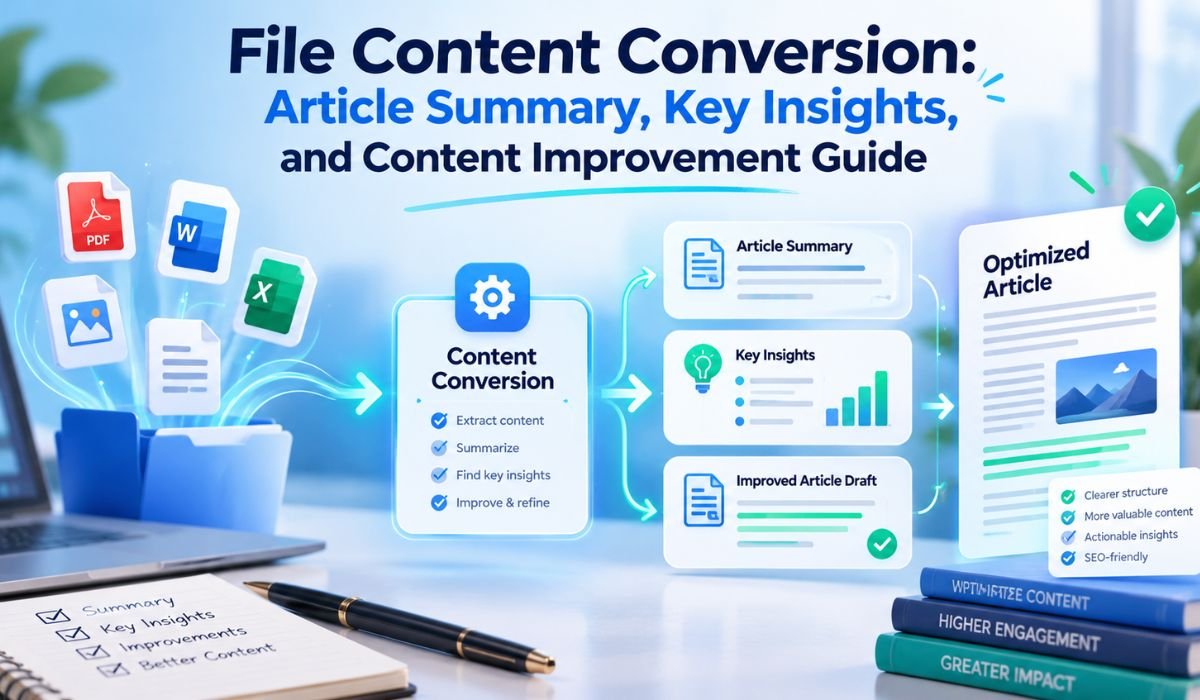
Modern Business Systems exchange huge amounts of information every day, yet they don’t always speak the same data language. One application might export records as CSV, another may depend on XML, while an older platform could still rely on Fixed-Length Text Files. That difference creates a practical problem: how do you move information between systems without losing its original structure or meaning?
This is where File Content Conversion becomes useful. It gives Integration Systems a structured way to interpret data in one format and prepare it for another system.
Within the SAP ecosystem, File Content Conversion, commonly known as FCC, has a more specific meaning. It’s closely associated with File Adapter scenarios in SAP Process Integration and Process Orchestration. In these environments, structured Text Files can be converted into XML, while XML can also be transformed into the Flat-File format required by another application.
That distinction matters. File Content Conversion isn’t the same as changing .csv to .xml in a filename. A real conversion requires the system to understand records, fields, separators, lengths, and structural relationships while preserving the meaning of the underlying information.
This guide looks at how File Content Conversion works, where it fits into SAP Integration, which problems commonly appear in real-world implementations, and how the technology relates to newer SAP Integration Suite environments.
What Is File Content Conversion?
At its core, File Content Conversion transforms structured File Data from one representation into another.
In a traditional SAP PI/PO scenario, a Sender File Adapter may receive a Flat Text File and convert its contents into XML. On the other side of an Integration Flow, a Receiver File Adapter can take XML and produce a Text File that another system knows how to process.
Imagine an HR System that exports employee information as a comma-separated file. Each row contains an Employee ID, Employee Name, and Department. FCC can recognize those commas as Field Separators, extract the individual values, and represent them as structured XML Elements.
What matters here is the content inside the file. Simply changing a File Extension doesn’t restructure the underlying information. File Content Conversion actually interprets that information according to predefined rules and creates a representation that the next system can understand.
Why File Content Conversion Matters
Most Enterprise Technology environments have grown over many years. They often contain software from different vendors, systems introduced at different times, and applications built around entirely different Data Standards.
An ERP System might exchange information differently from a payroll platform. A warehouse application may produce Flat Files, while a newer cloud application expects structured data. Supplier Systems, banking interfaces, and custom databases can introduce still more formats.
Replacing every older application because it doesn’t use the latest Data Format usually isn’t practical. File Content Conversion provides a bridge between these systems.
For appropriate use cases, FCC can reduce unnecessary custom parsing, standardize incoming messages, simplify Integration Design, and make File-Based Interfaces easier to support over time. This is particularly valuable for organizations that continue to depend on CSV, Fixed-Width, and other structured Text Files for everyday Business Processes.
Rather than forcing every connected application to change, the Integration Layer handles the structural differences between them.
How File Content Conversion Works
A successful conversion starts with something surprisingly simple: knowing exactly how the Source File is structured.
In a classic SAP PI/PO Sender File Adapter scenario, File Content Conversion parameters tell the adapter how to read that structure. If the file is delimiter-based, a Field Separator indicates where one value ends and the next begins. If it’s a Fixed-Length File, configured field lengths identify the exact character positions belonging to individual values.
Field Names help define the resulting XML Elements. Recordset configuration becomes important when several Record Types or repeating structures appear in the same file.
Once the source has been converted into XML, the message can continue through the Integration Process. Depending on the requirements, it may be routed to another system, processed through Message Mapping, validated, or transformed further.
The same principle can work in reverse on the Receiver side. XML can be converted into a Flat Text Format containing the separators, record endings, or Fixed-Length Fields required by the destination.
There isn’t one universal FCC layout. The actual result depends on the File Structure, Adapter Direction, and configuration used for that particular interface.
File Content Conversion In SAP PI/PO
File Content Conversion has long played a practical role in SAP Process Integration and SAP Process Orchestration.
When FCC is used with a Sender File Adapter, appropriately structured Text Data can be converted into XML before moving deeper into the Integration Process. With a Receiver File Adapter, XML can be turned into the Text Structure required by an external application.
For straightforward interfaces, this approach has an obvious advantage. Developers don’t necessarily need to build a custom parser simply to identify records and separate fields. Much of that structural work can be described through Adapter Configuration.
There are limits, however.
FCC shouldn’t be treated as a replacement for every type of Data Transformation. When an Integration requires calculations, enrichment, extensive conditional processing, complicated restructuring, or significant Business Logic, Message Mapping or another Transformation Mechanism may still be necessary.
A maintainable architecture usually keeps those responsibilities clear. FCC handles suitable structural conversion, while Mapping handles transformations that change the Business Structure or meaning of the message.
Common File Formats And Data Structures
CSV is perhaps the easiest Flat-File Format to recognize, but real File Content Conversion scenarios can involve many different Text Structures.
Some files separate values with commas. Others use semicolons, tabs, pipes, or another agreed character. These are generally Delimited Files because a separator tells the system where one field finishes and another begins.
Fixed-Length Files work differently. Instead of looking for a delimiter, the Integration System reads a predefined number of characters for each field.
Real-world Enterprise Files can be more complicated still. A single file may start with a Header Record, contain hundreds or thousands of Detail Records, and finish with a Trailer containing totals or control information.
Character Encoding is another important consideration. Even when the structural rules are correct, mismatched encoding can produce damaged names, symbols, accented characters, or other unexpected output.
That’s why a reliable File Specification should come before the FCC configuration. The Integration Team needs to know what the source actually contains, not merely what everyone assumes it contains.
Important FCC Parameters
File Content Conversion depends on configuration parameters that describe how the source or destination data is organized.
The fieldSeparator setting identifies the delimiter used between fields in a delimiter-based structure. The fieldFixedLengths setting defines individual column widths for Fixed-Length Data. fieldNames helps associate positions in the source with meaningful fields, while endSeparator relates to how records are separated.
Recordset-related settings become particularly important when the file contains several Record Types or repeating groups.
Depending on the scenario, other configuration options may help define Document Structures, identify records, or determine how certain incomplete or additional fields are handled.
Accuracy matters here. If a Source File uses pipes but the configuration expects commas, the system won’t interpret the data as intended. A single incorrect Fixed-Length definition can be equally disruptive because every field that follows may shift out of position.
For that reason, FCC parameters should come from a documented File Specification rather than trial and error.
A Practical CSV To XML Example
Consider a simple Employee File containing this record:
101,John,Finance
The first value is an Employee ID, the second is an Employee Name, and the third represents a Department.
With the correct configuration, File Content Conversion can recognize each comma as a boundary and interpret the record as three separate values. Those values can then appear in a logical XML structure representing:
EmployeeID = 101
Name = John
Department = Finance
The exact XML hierarchy isn’t universal. It depends on the Message Structure and FCC configuration defined for the interface.
This simple example also reveals why real testing matters. Suppose one record suddenly contains an unexpected comma inside a text value and the Source Format doesn’t account for it correctly. What looked like three fields could be interpreted differently.
Production files rarely contain only perfect sample data. Good testing should therefore include realistic variations, optional values, empty fields, special characters, and other conditions likely to appear once the interface goes live.
XML To Flat File Conversion
Not every Integration begins with a Flat File. Sometimes the Flat File is the final destination.
An SAP Integration Process may work internally with XML while a Legacy Application, banking interface, warehouse platform, or Business Partner accepts only a specific Text Format.
Receiver File Content Conversion can help create that output. XML values can be written in the expected sequence, separators can be inserted between fields, and Fixed-Length formatting can be applied when required.
What ultimately matters is the receiving system’s specification.
A file can look perfectly readable to a person and still fail during automated processing. The destination might reject it because a field appears in the wrong position, a mandatory value is absent, the line ending doesn’t match expectations, or a different separator was required.
Outbound FCC should therefore be tested against the actual Target File Specification, not merely inspected visually.
Quick Bio Information
| Information | Details |
|---|---|
| Main Term | File Content Conversion |
| Common Abbreviation | FCC |
| Primary Purpose | Structural File Data Conversion |
| Classic SAP Context | SAP PI/PO File Adapter |
| Common Source | Flat Text Data |
| Common Structured Format | XML |
| Typical Delimited Format | CSV |
| Other Common Structure | Fixed-Length Records |
| Sender Direction | Text To XML |
| Receiver Direction | XML To Text |
| Important Setting | Field Separator |
| Fixed-Width Setting | Field Fixed Lengths |
| Structure Control | Recordset Configuration |
| Important Data Concern | Character Encoding |
| Security Consideration | Encrypted File Processing |
| Advanced Transformation | Message Mapping |
| Cloud-Era Approach | Integration Suite Converters |
| Common Error Source | File And Configuration Mismatch |
| Main Benefit | System Interoperability |
| Best Practice | Test With Real Production-Like Data |
Sender FCC Versus Receiver FCC
One of the simplest ways to understand File Content Conversion is to follow the direction in which the information is moving.
Sender FCC typically deals with a structured Text File entering the Integration Environment. The adapter reads the source and turns its contents into XML that can be processed internally.
Receiver FCC generally does the opposite. It takes XML and creates the Flat-File representation expected by the destination.
The distinction is useful beyond basic understanding. It also gives administrators a logical starting point when something goes wrong.
If Sender FCC fails, the first question should be whether the incoming records are being interpreted correctly. If Receiver FCC produces an incorrect file, attention should shift toward how XML values are being written into the output structure.
Thinking in terms of direction can make a complicated-looking conversion problem considerably easier to diagnose.
Encrypted Files, Encoding, And Security
File-Based Integration often carries sensitive Business Information, so conversion can’t be considered separately from security.
Encrypted content isn’t ordinary readable Text Data. Before structural conversion can interpret records and fields, the appropriate Decryption Process needs to make the underlying information available for processing. In scenarios involving PGP and FCC, Module Configuration and processing sequence therefore deserve careful attention.
Character Encoding is a separate issue and shouldn’t be confused with encryption.
Encryption is designed to protect information from unauthorized access. Character Encoding determines how letters, numbers, symbols, and other characters are represented digitally.
A well-designed File Integration should consider both. It should also address secure transport, access permissions, key management, credential protection, sensitive logging, and any temporary File Handling that occurs during processing.
Correct conversion is important, but so is protecting the information being converted.
Common FCC Errors And Troubleshooting
Many File Content Conversion failures aren’t mysterious technical faults. More often, the file being processed no longer matches the structure the Integration was configured to expect.
A delimiter may have changed. A new column may have been introduced. A mandatory field could be missing, or a Fixed-Length value may be longer than expected. Record Types can appear in an unexpected order, while Character Encoding or line-ending differences can create less obvious problems.
When troubleshooting, start with the actual failing payload.
Compare it with a known working example and the agreed File Specification. Look closely at Field Counts, separators, Fixed-Length positions, Recordset settings, encoding, record endings, and recent changes made by the Source System.
Don’t overlook blank values or unusual characters. They often expose assumptions that weren’t obvious when an interface was originally tested.
Adapter Logs and Error Messages are equally important. Before changing configuration, check whether the runtime has already identified the record or structural rule it couldn’t process.
This evidence-based approach is usually more effective than repeatedly changing parameters until the file happens to work.
Performance And Large File Considerations
A conversion that performs well with a small development file won’t necessarily behave the same way when it receives Production Data.
Large files may contain thousands or millions of values, and overall performance can depend on much more than FCC itself. Record count, structural complexity, available memory, concurrent workloads, Message Mapping, and later processing steps can all affect runtime behavior.
For that reason, broad claims that FCC is always faster than Custom Mapping aren’t particularly useful. Performance needs to be evaluated in the context of the actual Integration Design.
SAP File Adapter environments also have specific considerations and limitations around certain large-file and splitting scenarios, particularly when Content Conversion or Mapping is involved.
The practical approach is straightforward: test with production-like volumes, monitor runtime behavior, keep unnecessary Transformation Layers out of the design, and make performance decisions using measured results rather than assumptions.
FCC Versus Message Mapping
File Content Conversion and Message Mapping often appear in the same Integration Flow, but they aren’t interchangeable.
FCC mainly answers a structural question:
“How should this Flat-File data be represented as XML?”
Message Mapping deals with a broader transformation question:
“How should this Source Business Message become the Target Business Message?”
A CSV File, for instance, might first pass through FCC so that its records become structured XML Elements. Message Mapping could then rename fields, combine values, translate codes, rearrange structures, apply conditions, or prepare the information for an entirely different target model.
Keeping those responsibilities separate tends to make Integration Designs easier to understand and maintain.
Rather than asking whether FCC or Message Mapping is “better,” the more useful question is which part of the transformation each technology should handle.
File Content Conversion In SAP Integration Suite
This distinction has become increasingly important for Integration Teams working in 2026.
Classic SAP PI/PO File Content Conversion shouldn’t be described as though it were identical to the conversion features available in SAP Integration Suite Cloud Integration.
Cloud Integration provides dedicated capabilities such as CSV To XML Converter and XML To CSV Converter steps. These offer a modern way to handle common CSV and XML transformations inside Integration Flows.
Organizations migrating from PI/PO, however, shouldn’t assume that every old FCC configuration has a direct one-to-one replacement.
Some legacy scenarios rely on Recordset Structures, Fixed-Length processing, or other PI/PO-specific behavior that may require a different design or manual adjustment during migration.
Before moving a production interface, teams should document the existing FCC rules carefully. That means identifying the Source Structure, conversion parameters, assumptions about records, error handling, and expected output. The target Integration Suite implementation can then be tested against representative files to confirm that it produces equivalent Business Results.
This review is an important part of SAP Integration Modernization, not simply a technical housekeeping task.
Best Practices For Reliable File Content Conversion
Good File Content Conversion begins before anyone opens the Adapter Configuration.
Start with an agreed File Specification. It should describe the Field Order, delimiters, Fixed Lengths, Record Types, Character Encoding, required and optional fields, line endings, and expected handling of unusual or invalid data.
Testing should then reflect reality rather than ideal conditions.
Alongside normal records, include empty values, special characters, maximum-length content, optional structures, malformed input, and files that resemble real Production Volumes. These cases are much more likely to expose weaknesses than a handful of perfectly formatted sample records.
Documentation matters after deployment as well.
Source Systems evolve. A team may add a column, change a delimiter, modify an export setting, or introduce new characters without realizing that another system depends on the original format. An interface that has run successfully for years can fail overnight because its Source Contract quietly changed.
Clear ownership of the File Specification, documented conversion rules, monitoring, and controlled changes make those situations far easier to manage.
When File Content Conversion May Not Be The Best Choice
FCC is useful precisely because it solves a defined class of problems. That doesn’t mean it should be stretched to cover every File Integration requirement.
An interface involving complex hierarchical transformations, extensive conditional logic, proprietary File Formats, major Data Enrichment, sophisticated validation, or complicated Business Rules may be better handled through Message Mapping, scripting, specialized processing, or another Integration Pattern.
The best design is generally the simplest one that reliably satisfies the Business Requirement without creating unnecessary maintenance work.
That principle is especially relevant when modernizing older SAP interfaces. A scenario designed around PI/PO years ago doesn’t necessarily need to be reproduced line for line in SAP Integration Suite. Newer capabilities may allow the same Business Requirement to be implemented more cleanly.
Understanding the requirement is more important than preserving the historical implementation.
Key Insights And Content Improvement Lessons
The central idea behind File Content Conversion is easy to overlook: the goal isn’t merely to change a format. It’s to preserve Data Structure and Meaning while information moves between systems that represent it differently.
That perspective makes the rest of the topic easier to understand.
A useful File Content Conversion guide needs to go beyond defining FCC. Readers benefit from understanding the difference between Sender and Receiver processing, Delimited and Fixed-Length Files, structural conversion and Message Mapping, Encryption and Character Encoding, as well as troubleshooting, performance, and cloud migration considerations.
Technical guidance also becomes more trustworthy when it acknowledges limitations.
Rather than claiming that one conversion method is always faster, easier, or more modern, reliable guidance explains where each approach fits. That’s particularly important in SAP environments, where long-running PI/PO interfaces may exist alongside newer Integration Suite implementations.
For Integration Teams, the practical lesson is equally clear: know the Source Data, understand the destination requirements, document the contract between them, and choose the conversion approach that matches the actual problem.
Final Thoughts
File Content Conversion solves a problem that remains surprisingly common in Enterprise Integration: two systems need to exchange the same information, but they represent that information differently.
In classic SAP PI/PO environments, FCC offers a configurable way to turn structured Text Files into XML and XML back into Flat-File output without requiring custom parsing code for every straightforward interface. When the Source Structure is well understood, that can make File-Based Integration considerably easier to build and maintain.
But successful conversion depends on more than choosing a few Adapter Parameters. The File Specification needs to be accurate. Delimiters and Field Lengths must match reality. Character Encoding needs attention. Security has to be designed properly, and testing should reflect the messy conditions found in Production Data rather than relying entirely on perfect samples.
The technology landscape is changing as well. Organizations moving toward SAP Integration Suite now have modern CSV and XML conversion capabilities, but older PI/PO FCC configurations don’t always transfer directly. Migration is therefore an opportunity to examine what an interface actually needs rather than automatically rebuilding its historical design.
For Integration Professionals working in 2026, that’s perhaps the most useful way to think about File Content Conversion. Don’t begin with the conversion tool. Begin with the data.
Understand what the Source System produces, how its records are structured, what the destination expects, which Business Transformations are genuinely necessary, and where each step should take place.
Once those questions have clear answers, File Content Conversion stops looking like a collection of technical parameters. It becomes what it was designed to be: a practical bridge between systems that need to exchange the same information in different forms.
FAQs About File Content Conversion
What Is File Content Conversion?
File Content Conversion transforms structured File Data from one representation into another. In classic SAP PI/PO scenarios, the term commonly refers to converting Flat Text Data into XML or transforming XML into a Flat Text structure through File Adapter configuration. The goal is to preserve the meaning of the information while changing the structure in which another system receives it.
What Does FCC Mean In SAP?
FCC commonly stands for File Content Conversion. Within SAP PI/PO, it’s associated with File Adapter scenarios that interpret or generate structured Text Data according to predefined conversion parameters. These rules tell the system how records and individual fields should be understood.
Can File Content Conversion Convert CSV To XML?
Yes. Delimited Text Data such as CSV can be transformed into structured XML when the conversion configuration correctly describes the Source File. In SAP Integration Suite Cloud Integration, dedicated CSV To XML conversion functionality is also available, although it shouldn’t automatically be treated as identical to every classic PI/PO FCC scenario.
What Is The Difference Between FCC And Message Mapping?
FCC mainly handles structural File Conversion, such as interpreting Flat-File fields and representing them as XML. Message Mapping performs broader Business Message transformations. It can restructure data, combine fields, translate values, apply conditions, and create a target message that differs substantially from the source.
Why Does File Content Conversion Fail?
Failures often happen because the real file doesn’t match the configured structure. Incorrect delimiters, unexpected Record Types, wrong Fixed-Length definitions, missing or additional fields, malformed Source Data, Character Encoding problems, and changed File Specifications can all cause issues. Examining the actual failing payload and runtime errors is usually the best place to begin troubleshooting.
Can FCC Work With Encrypted Files?
Structural conversion requires access to readable underlying content. When PGP Encryption is part of an SAP integration scenario, appropriate Decryption Processing and Module Configuration need to be arranged so the conversion logic can work with the decrypted information. Security design should also consider transport, permissions, keys, credentials, and sensitive logs.
Is FCC The Same In SAP Integration Suite?
No. SAP Integration Suite Cloud Integration provides its own conversion capabilities, including CSV To XML and XML To CSV Converter steps. These can address similar requirements, but they shouldn’t be assumed to reproduce every classic SAP PI/PO FCC configuration automatically. Migration may require redesign or manual adjustment depending on the existing interface.
Is File Content Conversion Suitable For Large Files?
It can be, but File Size isn’t the only factor that matters. Record complexity, available resources, Mapping requirements, concurrent processing, platform limitations, and expected volumes can all influence performance. Production-like testing is the safest way to determine whether a particular design is suitable.
Learn more and explore exciting content on: EmbedSocial Instagram Story Viewer: Complete Guide for Beginners









Leave a Reply